Convenient Pixel Editor

BG REMOVE

For sharp images, we guarantee easy clipping pathways. Make sure your photos are appropriate for the next stage of your ecommerce business.
100+

Team Member

10+

Years of Experience

5000+

Completed Projects

120+

Happy Clients

Why Outsource Background Removal Service to CPD?

The most difficult and frequently performed procedure in Adobe Photoshop is background removal. It is also referred to as rapid action removal, Photoshop extract images, jpg image backdrop removal, and so on. By removing the background, you can make the background translucent and draw attention to the photo’s topic. Placing the new image in a range of fresh designs and locations is beneficial. An image’s background is just as crucial as its topic. More than a fairytale, it tells the story. An image with a flawless backdrop quickly grabs attention and leaves a lasting impression on viewers.

Affordable Price

We are offering a reasonable price for product BG removal.

Delivery On Time

Receive your background removal photos on schedule.

High-quality Results

Get results for bg removal svc that are pixel-perfect.

Satisfactory Support

We are available to help you at any time, day or night.

Background removal Pricing
BG_CPD_01

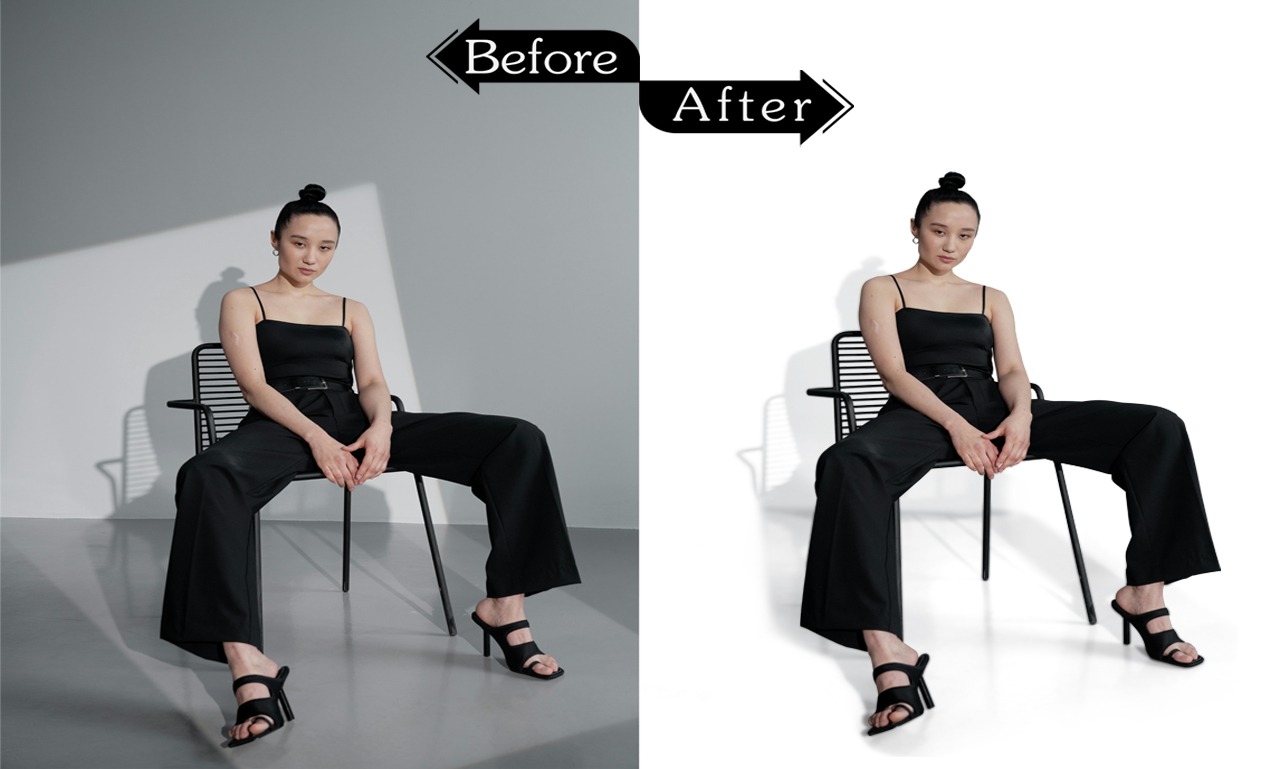
Background Remove & keep the Natural Shadow

At reasonable costs, Clipping Path Digital provides professional background removal services while maintaining the organic shadow of your photos. Our staff makes sure that the background is smoothly eliminated while preserving the natural shadow and lighting, which increases the authenticity of your images. We provide crisp, expert solutions that preserve the soul of your photos, whether they are for e-commerce, product photography, or personal use. Use our Background Removal & Natural Shadow services to achieve the ideal look right now!

25 years experience

Ensure public security

Monitor traffic flow

cost-effective

24/7 alarm monitoring

Advanced software

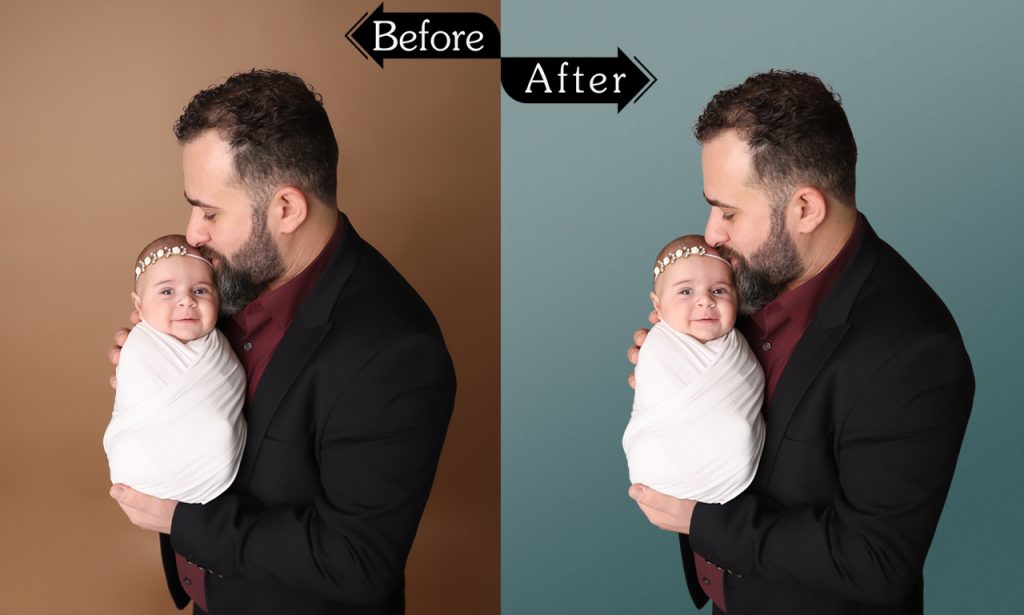
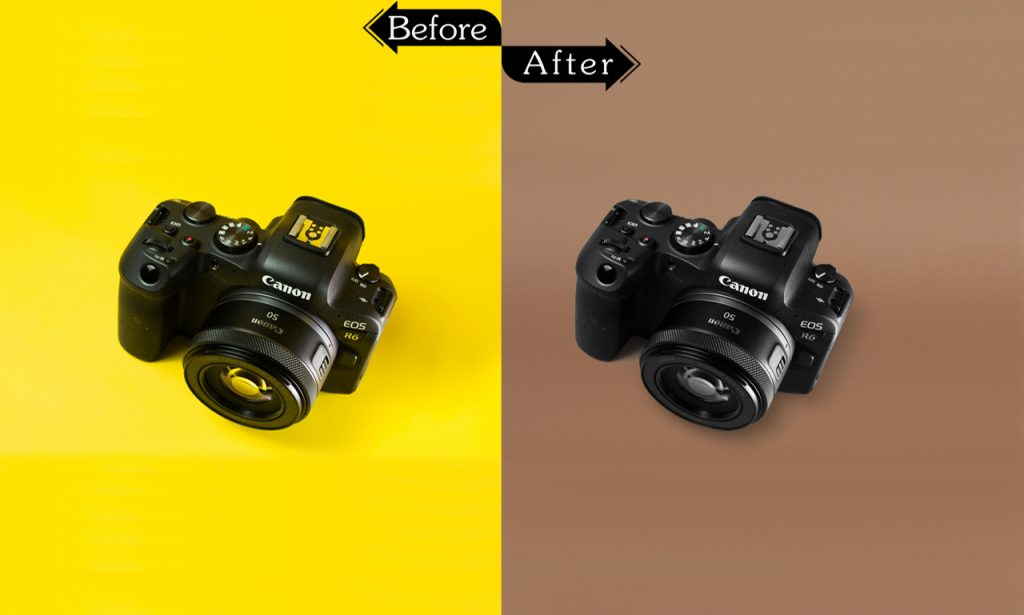
Changing Background Color

At Clipping Path Digital, we offer reasonably priced, superior backdrop color alteration services. Our knowledgeable staff guarantees a smooth transition that flawlessly matches your topic, whether you’re looking for a bright, understated, or unique hue to improve your photos. Make a statement with polished, striking backdrops that enhance your images. Use our background color changing services to transform your photos right now!

25 years of expertise

Observe the movement of traffic.

Maintain public safety

economical

Alarm monitoring around-the-clock

sophisticated software
BG_CPD_02
BG_CPD_03

Image Background Replacement Services

Professional image background replacement services at reasonable costs are our area of expertise at Clipping Path Digital. Whether you require a white background for product pictures or a more imaginative backdrop to add flair to your photos, our talented staff guarantees a seamless and organic transition. We preserve your subject’s integrity while producing clear, precise findings. Take your pictures to the next level with our Image Background Replacement Services and make them really pop!

25 years experience

Make sure everyone is safe.

Track the flow of traffic

affordable

alarm monitoring around-the-clock

High-tech software

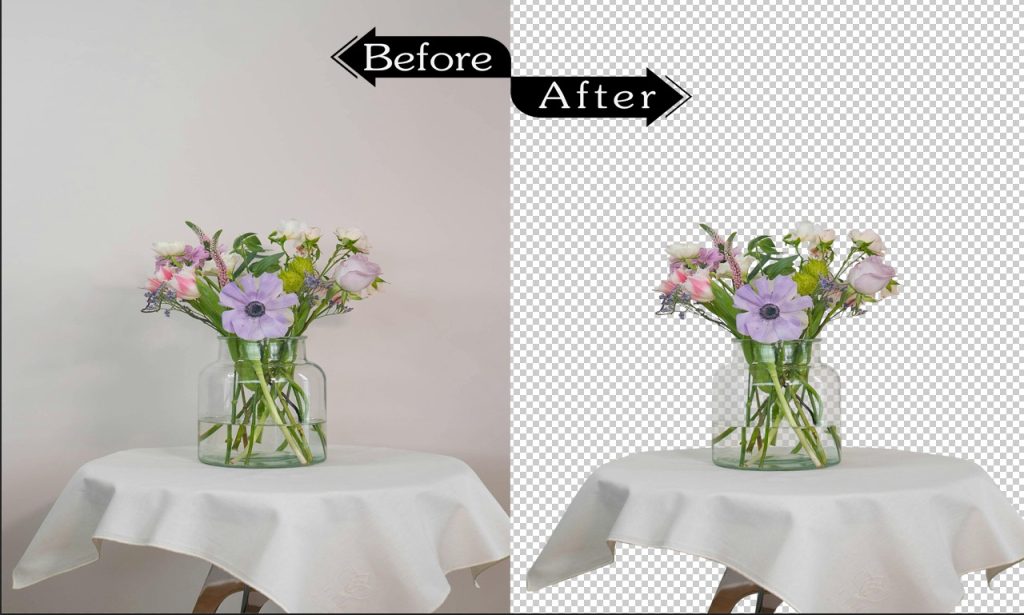
Transparent Background Image Cut Out

At Clipping Path Digital, we offer transparent background image cutout services of the highest caliber at competitive costs. Our skilled crew guarantees crisp borders and perfect cutouts, making it ideal for product photos, logos, or any design that needs a clear, transparent background. Make your photos look more professional and adaptable to any kind of project. Get transparent backdrops for your photos now for unparalleled accuracy!

twenty-five years.

Track the movement of traffic.

Maintain public safety.

economically viable

24-hour alarm surveillance

High-end software
BG_CPD_01

Background Removal knowledge

Background Removal

The most difficult and frequently performed procedure in Adobe Photoshop is background removal. It is also referred to as rapid action removal, Photoshop extract images, jpg image backdrop removal, and so on. Background removal makes it possible to create a transparent background and highlight the subject of the picture. Placing the new image into different styles and locations is beneficial. An image’s background is just as important as its topic. More than a fairytale, it tells the story.

An image’s background is just as important as its topic. More than a fairytale, it tells the story. An image with a flawless backdrop immediately grabs attention and makes an impression on viewers. An image’s background might be anything from the sky to hills, rivers, seas, or other hues that accentuate the subject’s beauty. However, unwelcome background elements like dim lighting, shadows, a weak subject, and mismatched colors might negate an image’s purpose. And why is it necessary to use backdrop removal in order to view the images in a different way? Additionally, picture object removal is used for a number of other tasks, such as reshaping, deep etching, retouching, and resizing.

Additionally, picture object removal is used for a number of other tasks, such as reshaping, deep etching, retouching, and resizing. With background erase programs and automatic background removal, the task of removing the object from the picture can be completed either manually or automatically.

A method and procedure called picture background removal is used to eliminate undesired items and images from a subject’s background. It involves eliminating an undesirable item from any content, to put it another way. Photoshop is used in this application. With a fresh backdrop, this technique adds a professional appearance and allure to the photos. You can use a variety of photo editing techniques, such as Image Masking and Clipping Path, to get rid of background elements. To remove objects from photographs, the most popular programs or online platforms include Canva, Remove.ai, Adobe Spark, InPixio, PixIr BG, Fiver, and so on.

Background removal is accomplished using both Clipping Path and Image Masking. Both methods are desperately needed for e-commerce product photographs, even if the process and the outcome are different.

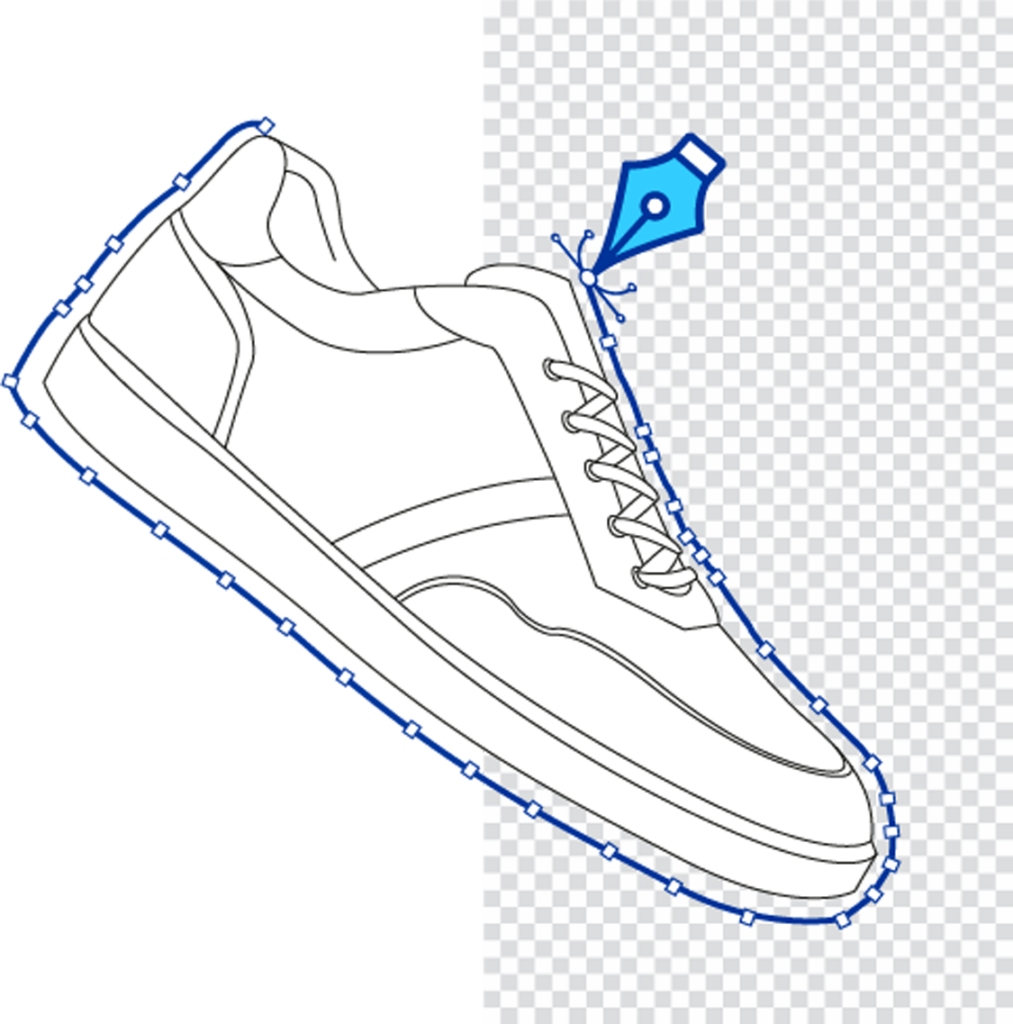
For intricate or sharply edged graphics, this Photoshop Pen Tool generates paths. A careful examination of the margins is necessary for this. If not, the outcome won’t be flawless and will appear unnatural. Books, laptops, packages, and small boxes work well here. Furthermore, the contents—such as fingers or earrings, watches, clothing, cups, and shoes—have numerous paths that must be made, but they also include a few bends, anchor points, and holes that call for this technique. Nevertheless, Clipping Path is also used to eliminate the background from pictures that feature important diagonally shaped objects, such as jewelry, group shots, gates, trees, textiles, and so forth.

Fashion and portrait photographs with soft, fuzzy edges, such as hair, fur, and wool, benefit greatly from this method. Color separation tools, Photoshop magic, or background erasers are used to remove intricate backgrounds. Where there is not enough clipping path, image masking is used. For transparent product photos, such as those of glass, sunglass, bottles, jewelry, etc., this is an expert background removal method.

Although the background of an image is crucial to its aesthetic appeal and ability to achieve its purpose, the presence of undesirable elements may detract from the image’s quality and intent. The main explanations are listed below:

To remove an undesired background from an image:
Typically, unexpected items like people, animals, or dust are present in outdoor photos. They give the image a shabby, unorthodox appearance. To address this issue, background knockout or alteration eliminates the backdrops.

To eliminate the shadows:
Shadows are distracting and unintelligent. As long as there is light, they remain alive. It is a typical issue with all photos. When it comes to product photos that are intended for sale, shades are typically underwhelming. To solve this issue, a color background remover is utilized.

To eliminate an unsatisfactory subject:
Images taken in crowded areas, such as a market, party, or beach, often have unsatisfactory subjects in the backdrop. They usually give the image a humorous and unusual quality. They frequently divert the audience’s focus and lower acceptance. Therefore, this approach is used to give the image an artistic appearance.

To change the subject and context:
Bad lighting can make a photograph boring and uninteresting. This issue could affect a professional photographer. The picture is drab and lifeless due to poor lighting. It frequently fails to drive a lot of traffic to the product’s description box. There isn’t another backdrop option to ease this discomfort. Amazing effects, such as black or white, give the picture a striking and appealing appearance.

Photoshop and other photo editing programs, however, employ a variety of methods to get rid of the backgrounds. However, all program has its limitations. Therefore, the main tools for this are experience and focus.

To get rid of the background, there are numerous methods and programs available. Even if their goals are the same, their operational environments are different. Each tool is an expert in a certain set of issues.

Adobe Spark
It is a dynamic and amazing application that provides background removal among many other photo editing features. It is beneficial to remove unnecessary backgrounds and give the subject fresh hues. By using various aspects like fonts, motion, forms, and color, it also provides the image a fresh appearance.

Photoscissors
Photoscissors is an AI-powered background removal tool with multiple uses. It eliminates the intricate backdrop from pictures in a flash. Professional software or specialized abilities are not necessary to create the ideal image clip. Additionally, it works well with intricate semi-transparent materials like fur and hair. It makes it possible to eliminate the background pixel by pixel. Erasing the background with the group by color feature is also helpful. A few uses for photoscissors are

  • Knock-out transparent object backdrops
  • Make a collage with several different photos.
  • Cutout background for listings on Amazon, eBay, or Esty

Canva
Canva is a very user-friendly tool or platform for graphic design. Posters, presentations, social media graphics, and other visual content with a background of a different hue are all made with it. Because of its many features, designers can modify photographs without having the necessary skills or understanding. It is rather easy for Pro users to use. Adding images to Canva’s templates makes it simple for anyone to alter the background.

remove.ai
Additionally, it is an AI-powered Photoshop tool that uses sophisticated computer vision algorithms to distinguish between the background and the foreground and choose or detect the foreground pixel. The image is processed in a matter of seconds and seems transparent. With the help of this master platform, you can quickly create a beautiful, white, or personalized background and transform your idea into beautiful banners, artwork, and product catalogs.

Cutout. pro
It is a visual AI platform or application that automatically removes the backgrounds from any photographs, saving developers from laborious work. It contains a number of editing tools, such as a joyful video, background remover, photo retouch, colorizer, and enhancer. A software platform called Cutout. Pro enables users to use various image altering techniques. It is far preferable to alter the background than to remove it. With just a single click, users of this platform can alter the background.

remove.bg
Remove.Bg eliminates the extraneous backdrop from pictures of people, animals, objects, scenery, and graphics, just like other editing programs do. This platform has been used. Users only need to upload the image, and the tool will take care of the rest. The Remove. Bg API is another tool that users can use to increase the digital efficiency of their operation.

Leawo Photo BG Remover
Using an advanced algorithm, it is a professional and user-friendly backdrop eraser. It frequently enables background removal for JPG images, both automatically and manually. It aids in the preservation of the expected portions and the removal of the undesirable ones. Additionally, it offers a number of tools for editing and changing transparency, solid color, and other effects in the foregrounds and backgrounds of photos.

BackgroundCut
Artificial intelligence is effectively used in this beta phase to make background drop from even the most difficult photographs simple. The major part of the images is automatically cropped off in a matter of seconds after the user uploads or drops them. Despite being a free site, BackgroundCut occasionally requires users to purchase credits in order to get higher resolution images.

Pixar
With the ability to remove backgrounds from one or more photos, it is an amazing photo editing tool. The elimination of backgrounds is one of its many uses. Once the result is obtained, designers can use their cutting tools to adjust the image as they see fit.sive photo editing tool for knocking out backdrops from one or multiple images. It is used for various purposes, and background removal is one of them. After getting the result, designers can fine-tune the image according to their desire with their cutout tools.

The era of digital marketing is upon us. Online marketplaces such as Amazon, eBay, Big Basket, and others are used by all fashion brands, eCommerce agencies, retailers, and whole sellers to offer their goods. In addition, people rarely physically visit markets to shop. Since e-commerce saves time and is more convenient, they are gradually becoming dependent on it. Therefore, using captivating photos and videos to promote the products is the only option. There is a huge need for backdrop removal services all over the world since the background contrasts with the subject to make the image lively and appealing to the clients. The front-line customers of this service are the following clients.

The Fashion Industry
Images for a portfolio or magazine should be wrinkle-free and spotless. A great background is necessary to solve this issue. Thus, they desperately need the following services:

Creation of Reflected Shadows
Wrinkle, Dust, or Spot Elimination, color correction, or adjustment Cut down on dim lighting

The e-commerce product sector
Images that are lively and appealing are essential for e-commerce firms. Here, background removal—such as applying a white or gray effect—is essential to creating realistic images. White is seen by many as a sign of purity. These services are widely available:

  • Clear or white BG
  • Minimize inadequate lighting
  • Color correction
  • Take out the shadow

e-commerce websites
Ali Baba, Daraz, eBay, and Amazon are the top e-commerce sites. They advise using white as the main background color. However, they frequently fail to capture images with a white background. For the following benefits, they so request background removal services:

  • Natural brightness of the host
  • Purity of color
  • Product-focused Increased sales

Like the other editing services, the remove backdrop service is lovely. Thanks to technological advancements, it is no longer a daunting undertaking and is becoming more useful every day. It is, in fact, a straightforward task with a significant consequence.

error: Content is protected !!